
Blur Faces in Video
Inglesdivino
Dec 29, 2024
Feb 14, 2026
17.18 MB
Varies with device
Varies with device
10,000+

Description
Protect Privacy in Your Videos with Ease!
Hide the identity of people in your videos by blurring or pixelating their faces—quickly and effectively.
– AI-Powered Automatic Face Detection:
Let the app detect faces for you (faces must be clear and large enough). Simply select the ones you want to blur, and the app will automatically apply the effect. Adjust the blur level and size to your preference.
– Manual Mode for Full Control:
Place static shapes (squares or circles) over any area of your video, not just faces. Add as many as needed throughout the video and set their start and end times with ease. Perfect for precise editing or when automatic detection isn’t suitable.
– Combine Both Modes:
Use automatic and manual methods together for maximum flexibility.
– Extra Features:
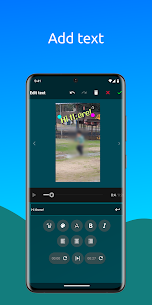
Add text and background music to personalize your videos further.
With an intuitive interface and powerful features, this app makes it simple to protect privacy and enhance your videos.
Images




Download links
How to install Blur Faces in Video?
1. Download the ZIP file.
2. Install the Split APKs Installer application
3. Open the application and click on "Install APKs".
4. Find the folder where the downloaded ZIP is located and select it.
5. Follow the steps that appear on the screen.
Related apps








Latest Apps
Most rated apps


