Blog

  • YouCam Makeup – Selfie Editor

    YouCam Makeup – Selfie Editor

    The world’s #1 AR Makeup & Beauty Camera app! Discover the ultimate Face Editor & AI selfie tool to create flawless looks. Try hundreds of virtual makeup styles and instant face retouch filters!
    YouCam Makeup offers advanced makeup editor & face retouch tools to smooth skin, refine facial features, whiten teeth, reshape lips & nose, enlarge eyes, and enhance your style with virtual hairstyles and hair colors. From natural beauty touch-ups to glamorous full-face makeovers, you’ll find everything you need for the perfect selfie.

    ✨【Makeup & Beauty Essentials – Virtual Makeover】
    ◇ Face makeup editor – apply lipstick, foundation, blush & more for the perfect beauty look
    ◇ Full-face beauty makeup filters – create natural daily styles or glamorous evening makeovers
    ◇ Eyeshadow, contour & highlight palettes – enhance your face features with pro-level makeup tools
    ◇ Personalized face makeup looks – combine eyeliner, lashes, and blush for complete beauty makeovers

    🙂【Face Retouch & Perfect Selfies】
    ◇ Face Shaper – slim face, reshape jawline & highlight cheekbones
    ◇ Skin Smoother – remove pimples, wrinkles, spots, & dark circles
    ◇ Teeth Whitener & Smile Editor – brighten your face instantly
    ◇ Blemish Removal & Concealer – flawless skin in every selfie
    ◇ Add contour & highlights to get a professional beauty makeover

    🌈【AI Hair Makeover – 60+ Hairstyles & Colors】
    ◇ Try short hair, curls, bangs & more with AI hairstyle filters
    ◇ Experiment with natural or bold fantasy hair colors before your salon visit

    😍【Body Tuner – Shape & Sculpt】
    ◇ Slim waist, lengthen legs, enhance curves with easy sliders
    ◇ Perfect for full-body selfies, fashion outfits, and fitness photos

    💄【Beautiful Eyes & Brows Makeup】
    ◇ Hundreds of eyeshadow looks, eyeliner styles & lash filters
    ◇ Eyebrow editor with natural and bold options for every face

    🔮【AI-Powered Photo Tools】
    ◇ AI Retake – fix photos, open eyes, adjust expressions instantly
    ◇ AI Enhance – improve photo quality & make faces look sharper
    ◇ AI Expand – extend images & backgrounds with unlimited creativity

    👗【AI Selfie & Clothes】
    ◇ AI Avatar – customize your profile with unique AI faces
    ◇ AI Clothes– explore 50+ trendy styles with virtual outfits
    ◇ AI Selfie – transform selfies into dreamy, storybook-inspired styles

    🎬【 AI Image-to-Video】
    ◇ Image-to-Video – turn your selfies into short animated videos
    ◇ AI Action Figure – transform to 3D-style character poses

    【Unlock Premium – More Makeup & Face Retouch Tools】
    Upgrade to YouCam Makeup Premium to unlock the full beauty experience:
    ◇ Exclusive makeup palettes, lipstick shades & face contouring tools
    ◇ Advanced face retouch options for skin, eyes, nose & lips
    ◇ Virtual hairstyle & hair color collections for unlimited style changes
    ◇ More detailed adjustments for professional-level selfies
    ◇ Ad-free editing & unlimited access to all beauty features

    More beauty inspo → https://www.instagram.com/youcamapps/
    More details → http://www.perfectcorp.com/consumer/apps/ymk
    Bugs → YouCamMakeup_android@perfectcorp.com

  • Moto Camera 3

    Moto Camera 3

    Requirements – Moto Camera 3 is only compatible with select devices launched in 2020 and beyond.
    Redesigned for reachability and one hand usage, Moto Camera 3 is packed with amazing features to capture the perfect moment, each and every time.
    Features:
    Quick Capture – Never miss a moment. Launch the camera with a simple twist of your wrist, then twist again to switch cameras.
    Portrait – Add a nice background blur to your photos. Also, adjust your blur level or change to black and white in Google Photos.
    Pro mode – Put yourself in complete control of focus, white balance, shutter speed, ISO, and exposure.
    Spot Color – Select one color while everything else becomes black and white.
    Google Lens – Use Lens to search what you see, scan text and translate, and interact with the world.
    Google Photos – Select the thumbnail for sharing, editing, and backup in Google Photos.
    And much more!

  • Camera FV-5 Lite

    Camera FV-5 Lite

    Camera FV-5 is a professional camera application for mobile devices, that puts DSLR-like manual controls in your fingertips. Tailored to enthusiast and professional photographers, with this camera application you can capture the best raw photographs so that you can post-process them later and get stunning results. The only limit is your imagination and creativity!

    Major features:

    ● All photographic parameters are adjustable and always at hand: exposure compensation, ISO, light metering mode, focus mode, white balance and program mode.
    ● DSLR-like viewfinder display: see exposure time, aperture and stops display with EV and bracketing settings, in real-time!
    ● Full fledged exposure bracketing: from 3 to 7 frames, unlimited stops spacing, plus custom EV shifting.
    ● Built-in intervalometer: make stunning timelapses (even bracketed/HDR timelapses) and time-controlled picture series.
    ● Program and Speed-priority modes.
    ● Long exposure support: take beautiful night photos and light trails with long exposure times up to 30 seconds**.
    ● JPEG, true 16-bit RAW in DNG format*, and lossless PNG photo capturing formats, perfect for post-processing.
    ● Manual shutter speed: from 1/80000 to 2", or the range available on your device*.
    ● All camera functions assignable to volume keys. You can adjust EV, ISO, color temperature and more using volume keys. Devices with hardware camera shutter key are also supported.
    ● EXIF and XMP sidecar metadata support.
    ● Autofocus, macro, touch-to-focus, true manual focus* and infinity focus modes. Autofocus lock feature (AF-L).
    ● Autoexposure (AE-L) and auto white balance (AWB-L) locks in Android 4.0+.
    ● In background photo and RAW developing and processing allows a smooth, uninterrupted camera operation.
    ● Digital zoom using multitouch pinch gesture. Also shows 35mm equivalent focal length!
    ● The most advanced electronic viewfinder: live RGB histogram, 10 composition grid overlays and 9 crop guides available.
    ● Powerful organization options: different storage locations and fully customizable file names (even with variables).
    ● The user interface is available in more than 30 languages.

    This camera application completely avoids scene modes, instead you get full manual control over all photographic parameters, just like you do with a reflex camera, so you can ultimately control every aspect of the picture, and leave the post-processing to the computer. So after your DSLR, you will never miss a photo opportunity again, being able to capture it with the closer sensation to your DSLR as possible.

    The Lite version is a fully functional version of Camera FV-5, with limited picture resolution support. Please buy Pro version to unlock all your device's resolutions and enable RAW capture (if it is supported on your device).

    IMPORTANT: If you find a bug using the application, PLEASE, visit the web page http://www.camerafv5.com/ or write to support@camerafv5.com with your phone model name and the description of the problem, before writing a negative comment. Customer satisfaction is our priority, and we will do our best to fix the issues as soon as possible!

    Connect with Camera FV-5 and stay always up to the latest information about current and future development. Visit the official website http://www.camerafv5.com, be a fan of http://www.facebook.com/CameraFV5, subscribe to http://www.twitter.com/CameraFV5 or watch tutorials at http://www.youtube.com/user/camerafv5.

    * Requires Android 5.0+ and a fully compliant Camera2 implementation. Currently only LG Nexus 5 and Motorola Nexus 6.
    ** Requires Android 5.0+. Compatible as well on the Samsung Galaxy Camera (1 and 2), Galaxy S4 Zoom and HTC One (M8). On Android 4.4 or older, long exposures lowers picture resolution to 2 or 1 MP, depending models. The reason is explained here: http://www.camerafv5.com/faq.php#long-exposure-resolution

  • Blackmagic Camera

    Blackmagic Camera

    Blackmagic Camera unlocks the power of your phone by adding Blackmagic’s digital film camera controls and image processing! Now you can create the same cinematic ‘look’ as Hollywood feature films. You get the same intuitive and user friendly interface as Blackmagic Design’s award winning cameras. It’s just like using a professional digital film camera! You can adjust settings such as frame rate, shutter angle, white balance and ISO all in a single tap. Or, record directly to Blackmagic Cloud in industry standard files up to 8K! Recording to Blackmagic Cloud Storage lets you collaborate on DaVinci Resolve projects with editors anywhere in the world, all at the same time!

    Some features are device dependent and may not be available on your device.

  • Google Lens

    Google Lens

    Google Lens lets you search what you see, get things done faster, and understand the world around you—using just your camera or a photo.

    SCAN & TRANSLATE TEXT
    Translate words you see, save a business card to your contacts, add events to your calendar from a poster, and copy and paste complicated codes or long paragraphs into your phone to save time.

    IDENTIFY PLANTS & ANIMALS
    Find out what that plant is in your friend's apartment, or what kind of dog you saw in the park.

    EXPLORE PLACES AROUND YOU
    Identify and learn about landmarks, restaurants, and storefronts. See ratings, hours of operation, historical facts, and more.

    FIND THE LOOK YOU LIKE
    See an outfit that catches your eye? Or a chair that's perfect for your living room? Find similar clothes, furniture, and home decor to the one you like.

    KNOW WHAT TO ORDER
    See popular dishes on a restaurant menu based on reviews from Google Maps.

    SCAN CODES
    Quickly scan QR codes and barcodes.

    *Limited availability and not available in all languages or regions. For further details go to g.co/help/lens. Some Lens features require an internet connection.

  • Fantastic Fruits

    Fantastic Fruits

    Hi, my name is Bo! Good to meet you!
    A while ago I was a janitor in a lab. I'm not gonna lie, I have no idea what those scientists were doing there, but one thing for sure: they were messy. You can't even imagine the mayhem they left after themselves sometimes.

    Anyway there I was one day, just minding my own business. Headphones in, mop in hand. Not sure what happened, but suddenly this wormhole kind of thing opened up and started to suck me in. Man, I can't un-hear that noise! It was horrible.

    No idea what exactly happened. I might have passed out. But the next thing I know is I'm in a strange land. It kinda looks like home but things feels off ever so slightly. You know what I mean? After a while I figured things out, started building a life there. This game is about my journey, so I'm gonna spare you the spoilers.

    —————————————
    Fantastic Fruits is an idle farming tycoon game set in an imaginary world. Join Bo in his journey and help him build an empire farming crops, figuring out watering systems, managing the economy and conducting science experiments.

  • Canon Camera Connect

    Canon Camera Connect

    Canon Camera Connect is an application to transfer images shot with compatible Canon cameras to smartphone/tablet.

    By connecting to a camera with Wi-Fi (direct connection or via wireless router), this application provides the following features:
    ・Transfer and save camera images to a smartphone.
    ・Remote shoot with live view imaging of the camera from a smartphone.
    ・Connect with Canon's various services.

    This application also provides the following features for compatible cameras.
    ・Acquire location information from a smartphone and add it to the images on the camera.
    ・Switch to a Wi-Fi connection from pairing status with a Bluetooth enabled camera (or from touch operation with an NFC enabled camera)
    ・Remote release of the camera shutter with a Bluetooth connection.
    ・Transfer the latest firmware.

    *For compatible models and features, please refer to the following website.

    https://ssw.imaging-saas.canon/app/app.html?app=cc

    -System requirement
    ・Android 11/12/13/14/15/16

    -Bluetooth System Requirement
    For Bluetooth connection, the camera needs to have a Bluetooth function, and your Android device needs to have Bluetooth 4.0 or later (supports Bluetooth Low energy technology) and the OS needs to be Android 5.0 or later.

    -Supported Languages
    Japanese/English/French/Italian/German/Spanish/Simplified Chinese/Russian/Korean/Turkish

    -Compatible File Types
    JPEG、MP4、MOV
    ・Importing original RAW files is not supported (RAW files are resized to JPEG).
    ・MOV files and 8K movie files shot with EOS cameras cannot be saved.
    ・HEIF (10 bit) and RAW movie files shot with compatible cameras cannot be saved.
    ・AVCHD files shot with Camcorder cannot be saved.

    -Important Notes
    ・If application does not operate properly, try again after shutting down the application.
    ・This application is not guaranteed to operate on all Android devices.
    ・In the case of using Power Zoom Adapter, please set the Live View function to ON.
    ・If the OS network confirmation dialogue appears when connecting the device to the camera, please place a checkmark in the checkbox to make the same connection from the next time.
    ・The images may include your personal information such as GPS data. Be careful when posting images online where many others can view them.

    ・Visit your local Canon Web pages for more details.

  • Rust Drifter

    Rust Drifter

    Welcome to Rust Drifter — a high-speed reverse bullet hell set in a brutal wasteland where your buggy isn’t just transport… it’s your weapon.

    Throw your car into controlled chaos. Drift through dense enemy fire, carve perfect arcs around hazards, and turn momentum into mayhem as the screen fills with threats. Every run is a fresh fight for survival, with escalating waves, ruthless bosses, and the kind of split-second decisions that make you lean closer to the screen.

    The world doesn’t stay the same for long. Tear across shifting biomes — the scorched Rust wastes, the corrosive Toxic zones, the electric glare of Neon — each with its own atmosphere, dangers, and visual personality. In the Rust biome, even the debris fights back: bleeding smoke that clouds your line of sight, turning clear lanes into murky guesses and forcing you to drive by instinct. Toxic zone, where puddles of ooze slow your trajectory and kill your kiting. The Neon zone, where light pillars teleport into your path. Constant movement is a requirement for survival.

    This is reverse bullet hell with a twist. It’s not about standing still and spraying. It’s about movement, positioning, and nerve. Thread the needle, outsmart the swarm, grab what you can, and build a run that feels uniquely yours. Stack upgrades, evolve your firepower, and push deeper into an endless, ever-intensifying gauntlet of infinite levels.

    And when the dust settles, your run isn’t gone — Rust Drifter keeps game logs so you can review exactly what you built, what you picked, and how it performed. Perfect for comparing weapon builds, refining strategies, and chasing that next breakthrough run.

    If you want speed, spectacle, and that “one more run” pull — welcome to the wasteland. Your buggy is waiting.

  • LINE Camera – Photo editor

    LINE Camera – Photo editor

    A photo editing camera app used by over 200 million people worldwide! 『LINE Camera』

    – Over 30,000 stickers and frames
    From decorations to face covers, the possibilities are endless.
    A wide variety of items is updated weekly.

    – Cute, sleek filters
    Highly customizable filters let you make your photos look just how you like them.

    – Make your own original stickers!
    Use your own illustrations, text, or photos to make your own stickers.

    – Use the Beauty feature to bring out the natural beauty in your photos!
    It’s easy as pie! Make your photos adorable at the touch of a button!

    – Create original collages!
    Make collages out of your favorite photos!
    – A full collection of photography aids!
    Use the Timer, Touch photo, Grid Display, and other photo aids to take a photo in any setting.

    – Easy photo sharing
    Share your photos on a wide variety of social media, including Facebook, Twitter, and of course LINE.

    – Video Recording
    Record videos with fun and cute stickers.

    – LINE Camera Premium
    Enjoy unlimited access to exclusive content, including premium sticker&frame.
    Your subscription will automatically renew within 24 hours before the end of the current period and will be charged to your account. You can disable auto-renewal anytime in your store settings.
    ※ Basic app features are free to use without a premium subscription.

    =====================================

    LINE Camera uses your network in order to automatically download content including cute and lovely stickers and frames that are absolutely free. Approximately 50MB of data will be downloaded upon initial installation.

    Photos are uploaded only when you choose to share them to social media.

  • Marbles Sort : Color Puzzle

    Marbles Sort : Color Puzzle

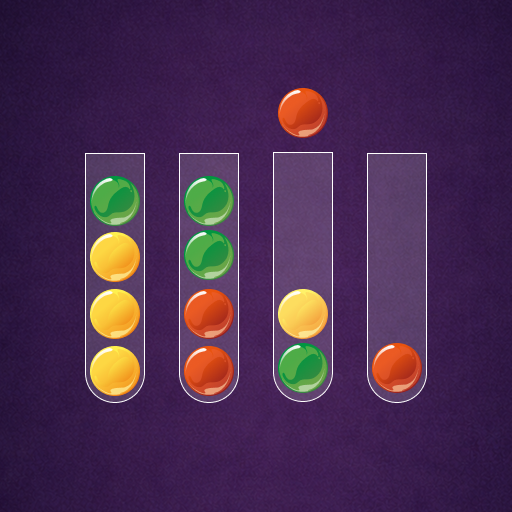
    Marbles Sort : Color Puzzle is a relaxing and addictive puzzle game that challenges your logic and concentration. Your goal is simple: sort the colored marbles into tubes so that each tube contains marbles of only one color.

    Tap a tube to pick up the top marble, then move it to another tube that has enough space and the same color on top. Sounds easy? As you progress, the puzzles become more challenging and require careful planning and strategy.

    ✨ Game Features:

    Simple and intuitive one-tap controls

    Hundreds of fun and brain-teasing levels

    Smooth animations and satisfying marble movements

    No time limit — play at your own pace

    Perfect for relaxing while training your brain

    Whether you want to unwind or sharpen your problem-solving skills, Marbles Sort : Color Puzzle is the perfect game for you. Can you solve them all?