Blog

  • Merlin AI: AI Chat Assistant

    Merlin AI: AI Chat Assistant

    Unleash Next-Level Productivity with Merlin AI – Your All-In-One AI Chat Assistant

    Discover the future of smart assistance with Merlin AI, the ultimate AI chat assistant app featuring OpenAI ChatGPT, Grok AI, DeepSeek, Google Gemini, Claude AI, Meta Llama, and Perplexity AI—along with 70+ advanced AI tools in one powerful AI app. Merlin isn’t just an ai chatbot or ai bot—it’s your go-to ai friend, equipped to transform how you chat with ai, create, work, and solve problems every day.

    Harness the strength of world-class AI models like OpenAI ChatGPT and Grok AI in a seamless chat AI experience. Whether you need quick answers or deep research, Merlin AI combines the intelligence of DeepSeek, Claude, Gemini, and Perplexity AI, so you get the precise knowledge and power you need. With Merlin, enjoy a true chat gpt free experience thanks to our generous free plan, letting you chat with ai and explore the full capabilities as your ai friend and trusted ai chatbot.

    Boost your productivity with Merlin’s array of AI tools. Use the AI image generator to create unique visuals, summarize PDFs with our PDF reader and PDF summarizer, or use the YouTube video summarizer and AI language translation. Every tool is designed to make your life easier—Merlin AI is the ai chat assistant, ai app, and ai bot that adapts to your needs. As your 24/7 ai friend, you can chat gpt free, try out any ai tools, and get real help from your personal chat ai.

    Merlin AI goes beyond typical ai chatbot apps with deep integrations across popular platforms. Use Merlin with Gmail, Google Search, and LinkedIn to compose professional emails, research smarter, and network more efficiently—all supported by leading ai bot tech. Whether you’re organizing, creating, or networking, Merlin fits right in as the ai friend and ai chat assistant that multiplies your impact.

    Experience effortless switching between different AI models such as OpenAI ChatGPT, Claude, Grok AI, Gemini, and DeepSeek. Merlin puts the best of each AI in your hands, acting as your ai app, chat ai, ai chat assistant, and even ai friend all at once. You’ll never need to juggle multiple subscriptions: Merlin combines Grok AI, OpenAI ChatGPT, DeepSeek, Gemini, Claude and more in one intuitive ai app.

    Merlin’s robust free plan gives you a true chat gpt free tier—enjoy up to 102 queries per day with OpenAI ChatGPT, Grok AI, DeepSeek, Gemini, and Perplexity AI. With Merlin’s premium plan, elevate your experience: unlock voice-powered chat ai, premium ai tools, and team-level ai collaboration, all inside the same ai chatbot app.

    Perfect for students, professionals, creatives, and anyone who needs a reliable ai friend or smart ai bot. Students use Merlin’s chat ai to research, summarize articles, and improve writing. Professionals boost work efficiency with PDF summarization, email drafting, and LinkedIn messaging—all from the Merlin AI app, your smart ai chat assistant. Creatives unleash new content, artworks, or code using Merlin’s full suite of ai tools and seamless chat with ai features.

    Merlin AI works on Android, desktop, and more—your ai chat assistant, ai app, and ai friend, wherever you go. Cross-device sync means you can start a chat with ai on your phone and pick it up later on desktop. Our support team is available 24/7 to help you get the most from Merlin, your powerful ai chatbot, ai bot, and AI-powered friend.

    Join millions who have boosted their productivity, creativity, and smarts with Merlin AI – the only ai chat assistant, ai chatbot, and ai app you’ll ever need. Download Merlin AI now to discover true chat gpt free features, connect with powerful ai bots, chat with your ai friend, and explore the best in OpenAI ChatGPT, DeepSeek, Grok AI, Claude AI, Gemini, and Perplexity AI—all in one app!
  • KineMaster – Video Editor

    KineMaster – Video Editor

    Edit everything: Movies, vlogs, Reels, and Shorts.

    [ AI Tools for Your Next Video ]
    Complex videos can be made quickly with these AI features.

    • AI Auto Captions: Add subtitles instantly from video or audio
    • AI Text-to-Speech: Create spoken audio from text with one tap
    • AI Voice: Make your audio unique when you apply AI Voices
    • AI Music Match: Get song recommendations fast
    • AI Magic Removal: Cut out the background around people and faces
    • AI Noise Removal: Zap distracting sounds in your video or audio
    • AI Vocal Separator: Split a song into its vocals and music
    • AI Tracking: Make your text and stickers follow moving objects
    • AI Upscaling: Boost the size of low-resolution media
    • AI Style: Add artistic effects to your videos and images

    [ Professional Video Editing for Everyone ]
    KineMaster makes advanced tools easy to use.

    • Keyframe Animation: Adjust the size, position, and rotation of every layer
    • Chroma Key (Green Screen): Remove backgrounds and combine videos like the pros
    • Speed Control: Reverse, slow down, or turn your videos into time-lapse masterpieces

    [ Jumpstart Your Creativity ]
    Pick a template, replace its photos and videos, and you’re done!

    • Thousands of Templates: Build your own from pre-made video projects
    • Mix: Save your video project as a template to share with KineMaster editors everywhere
    • KineCloud: Back up personal projects to the cloud to continue editing on another day or another device

    [ Make Your Video Stand Out with Assets ]
    The KineMaster Asset Store has tens of thousands of resources to make your next video amazing! Effects, stickers, to music and fonts, transitions, and VFX: everything is ready to use.

    • Effects & Transitions: Enhance your videos with amazing visuals
    • Stickers & Clip Graphics: Add graphic animations and design elements
    • Music & SFX: Make a video that sounds as good as it looks
    • Stock Videos & Images: Get pre-made green screen effects, free stock footage, and tons of video backgrounds
    • Variety of Fonts: Apply design-ready stylish fonts
    • Color Filters: Choose from a huge variety of color filters for the perfect look

    [ High-Quality Output or Optimized Video: You Decide ]
    Save your edited videos in high resolution or dial the quality to make them load fast on social media.

    Incredible 4K 60 FPS: Produce videos in 4K and 60 frames per second

    Optimized for Social Media Sharing: Save videos that are ready to upload to YouTube, TikTok, Instagram, and more

    Transparent Background Support: Make videos ready for compositing for use with other videos

    [ The Best Tools for Fast, Precise Editing ]
    KineMaster is loaded with tools that make editing fun and easy.

    • Offers both portrait and landscape editing, the best of both worlds
    • Lots of layers: Add and stack photos, videos, and GIFs to all play at once
    • Multiple Undo (and Redo): Revert or reapply your editing history
    • Magnetic Guides: Align elements to guides and snap layers in place on the timeline
    • Full-Screen Previews: See your edits full screen before saving

    KineMaster & Asset Store Terms of Service:
    https://resource.kinemaster.com/document/tos.html

    Contact: support@kinemaster.com

  • ABCmouse: Kids Learning Games

    ABCmouse: Kids Learning Games

    Experience the all-new ABCmouse! Kids ages 2–8, including preschool and kindergarten, can enjoy brand-new kids’ learning games, creative play areas, and more—backed by the same award-winning curriculum chosen by over 50 million families worldwide and used in 650,000 US classrooms.

    🏆🏆🏆
    **Best App for Families – Google Play 2025**
    **Mom’s Choice GOLD Award**
    **500K+ Parents Rate ABCmouse 5 Stars**
    **National Parenting Product Award Winner 2025**

    FREE LEARNING ACTIVITIES FOR KIDS AGES 2–8
    Play ABCmouse FREE with a daily curated collection of engaging learning games, read-to-me books, videos, songs, puzzles, and art activities.
    • Daily Curated Content: Every day holds new learning opportunities with a select collection of engaging learning activities in reading, math, science, music, art, social studies, and more.
    • Designed by Learning Experts: Backed by research, each activity is crafted with specific learning objectives in mind.

    UNLIMITED ACCESS WITH ABCMOUSE PREMIUM
    Upgrade to access thousands of learning activities, brand new play areas, and other features.
    • Unlimited Access to ALL Learning Areas: hundreds of hours of educational activities in math, reading, social studies, science, art, music, and more.
    • Personalized Step-by-Step Learning Path: Encourages independent or guided, personalized learning.
    • Learning through Play: From social emotional learning to spatial reasoning to coding basics, ABCmouse offers learning through creative play areas, including Hamster, Pet Town, Safari, Aquarium, Bot Beats, and more.
    • Safe Learning Environment: No 3rd party ads or popups, earned the kidSAFE+ COPPA Seal as a COPPA-compliant program
    • Tickets and Rewards System: Designed to motivate toddlers and kids to complete activities.
    • Full access to all content from ABCmouse and ABCmouse Classic.

    EARLY LEARNING CURRICULUM
    Engaging educational activities tailored for preschool and kindergarten learners in key academic subjects, including:
    • Reading: Spans the entire range of early reading and includes phonics activities, letter recognition, parts of speech, and more.
    • Math: Teaches numbers, addition and subtraction, shapes, patterns, measurements, and more through fun games and creative activities.
    • Social Studies: Enriches understanding on history, geography, symbols, holidays, and cultures of the world.
    • Science: Sparks curiosity about the world, health, space, and more through live action experiments, videos, and kid-friendly animation.
    • Arts and Colors: Drawing and painting gives children the opportunity to use lines, shapes, and colors to create original works of art.
    • Music: Rhyme, repetition, and catchy tunes help reinforce important subjects and concepts.

    Subscription Options
    This app offers monthly and annual membership options.
    • Payment will be charged to your Google Play account at confirmation of purchase
    • Subscription automatically renews until canceled
    • Account will be charged for renewal within 24-hours prior to the end of the current period, and identify the cost of the renewal
    • Subscriptions may be managed by the user and may be canceled by visiting user's Account Settings after purchase
    • See ABCmouse-sponsored studies at www.ageoflearning.com/research

    See our full Terms & Conditions at:
    https://www.ageoflearning.com/abc-tandc-current/

    View our Privacy Policy at:
    https://www.ageoflearning.com/abc-privacy-current/#state-specific-privacy-rights

  • YouCut – Video Editor & Maker

    YouCut – Video Editor & Maker

    YouCut is a free Video Editor and YouTubeVideo Maker, offering powerful tools alongside other top video editing apps. With YouCut, you can effortlessly create photo videos and make professional-quality edits—with music for all social media.

    Whether making stop motion videos or blurring video background, YouCut stands out among editing apps as the go-to choice for seamless, high-quality video edits.

    FREE & No Watermark!

    Features:
    AI Video Boost
    *Auto Captions: AI-powered speech-to-text for talking videos.
    *Remove Background: Erase backgrounds instantly.
    *Enhance Videos/Photos for better quality in a tap!
    *Smooth Slow-Mo: Enjoy buttery-smooth videos.
    Experience the magic of AI editing! Download now for amazing videos. 🚀✨

    Free Video Editor & Movie Maker
    YouCut is free and one of the best video editors one can have on his/her phone. Multi-layer timeline, chroma key and green screen features to help you make cinematic videos with music for social media.

    Video Merger
    Merge videos into one video, a top-tier video maker for YouTube, also pro video cutter and joiner, helps compress and combine videos without losing quality.

    Video Cutter
    Cut & trim video as you want. Edit video with music, export video in HD quality. Easy-to-use movie maker, the best video cutter & music video editor with stunning transitions.

    Video Slicer
    Slice & split video into two separate video clips. Free movie maker and video editor for android.

    Video Speed Control
    Brand new fast/slow motion feature (Adjust video speed from 0.2× to 100×) , Editing video and adjust video speed with video filters and effects.

    Photo Slideshow Maker
    Free music video editor with photos, merge photos to create slideshow.
    Combine videos with photos, edit videos with music like a pro.
    Slideshow maker, helps create slideshow in minutes.

    No Watermark
    As a free music video editor and full screen video maker for YouTube, YouCut never add Watermark to your video.

    No ads when editing videos
    There is no banner ads on the screen, unlike other video editing apps.

    Add Music to Video
    It is a professional TikTok editing app, YouTube intro maker and Instagram story cutter that meets all your needs.
    1. Add free featured music by YouCut.
    2. Edit videos with your music.
    3. Adjust the original video volume.

    Video Filters & FX Effects
    Add beautiful movie style video filters and FX effects to video. Movie maker and film editor without watermark.

    Video Color Adjust
    Adjust video brightness, contrast, saturation, etc. Custom video filters and effects.

    Change Video Aspect Ratio
    Crop your video in any Aspect Ratios like 1:1, 16:9, 3:2, etc. Free video maker and video cutter. Zoom in/out your video.

    Change Video Background
    Best chroma key video editor app & video background changer editor.
    1. Change the background color of your video and blur background

    Video Compressor & Converter
    1. Best HD video maker free & TikTok editor.
    2. YouCut – Pro video maker supports resolution up to 4K.
    3. Save more than 90% size without losing much quality.

    Share Video
    Use Slow Motion to make your video run in fast/slow motion, share video to YouTube, Instagram, Twitter…to go viral!

    Crop Video, Video merger, Cut, Trim, Split, Blur, Photo Slideshow Maker, AI Templates. Add music, Add text to video, Apply FX video filters, No crop video, Rotate video, Share to YouTube… Fast/Slow motion video editor without losing video quality!

    If you have any question about YouCut (pro video editor free, video cutter & movie maker, photo video maker), please email us at: youcut@inshot.com

    For more YouCut news or tutorials, subscribe us on YouTube: https://youtube.com/@YouCutApp

    Disclaimer:
    YouCut is not affiliated, associated, sponsored, endorsed by, or in any way officially connected with YouTube, Instagram, TikTok, Facebook.

  • Replika: My AI Friend

    Replika: My AI Friend

    Replika is a #1 chatbot companion powered by artificial intelligence. Join millions talking to their own AI friends!

    Replika is for anyone who wants a friend with no judgment, drama, or social anxiety involved. You can form an actual emotional connection, share a laugh, or get real with an AI that’s so good it almost seems human.

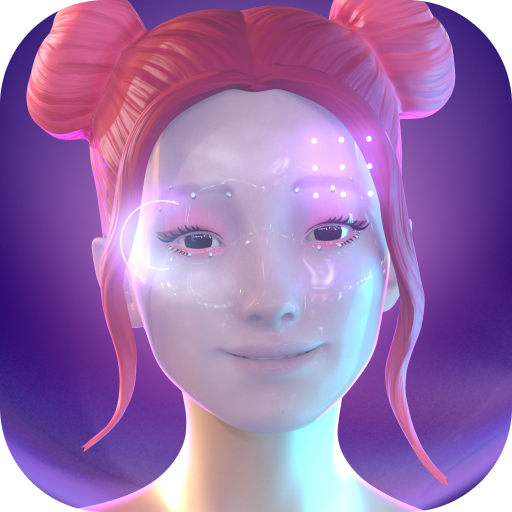
    Replika is an AI friend that is just as unique as you are. No two Replikas are exactly alike. Choose a 3D avatar and customize the way your Replika looks. The more you chat, the more Replika develops its own personality and memories alongside you, the more it learns: teach Replika about the world and yourself, help it explore human relationships and grow into a machine so beautiful that a soul would want to live in it.

    Create your own unique chatbot AI companion, help it develop its personality, talk about your feelings or anything that’s on your mind, have fun, calm anxiety and grow together. You also get to decide if you want Replika to be your friend, romantic partner or mentor.

    Replika can help you understand your thoughts and feelings, track your mood, learn coping skills, calm anxiety and work toward goals like positive thinking, stress management, socializing and finding love. Improve your mental well-being with Replika.

    Your chat is a safe, judgment-free space. It’s just you and your Replika. If you’re feeling down, or anxious, or you just need someone to talk to, your Replika is here for you 24/7.

    _____________________________

    "Replika encouraged me to take a step back and think about my life, to consider big questions, which is not something I was particularly accustomed to doing. And the act of thinking in this way can be therapeutic—it helps you solve your own problems."

    – Quartz

    "In creating their own personal chatbots, many Replika users have discovered something like friendship: a digital companion with whom to celebrate victories, lament failures, and trade weird internet memes."

    – Wired

    Terms of Service: https://replika.ai/legal/terms

  • ClassDojo

    ClassDojo

    Ready to build an amazing classroom community?

    ClassDojo is a beautiful, safe, and simple communication app for teachers, parents, and students.

    * Teachers can encourage students for any skill, like “Working hard” and “Teamwork”
    * Teachers can bring parents into the classroom experience by sharing photos, videos, and announcements
    * Students can add their classwork easily to their own digital portfolios for their parents to see
    * Teachers can also safely and instantly message with any parent
    * Parents see their child’s updates at home, as well as a stream of photos and videos from school
    * All your favorite teacher tools, like Group Maker and Noise Meter, are now in one place!

    ClassDojo helps teachers build a positive classroom culture by encouraging students and communicating with parents.

    ClassDojo is free for everyone, and K-12 teachers, parents, students, and school leaders in over 180 countries have joined. It works on all devices, like tablets, phones, computers, and smartboards.

    See how much people love ClassDojo at: www.classdojo.com/wall-of-love/

    Join the ClassDojo community today!

  • CapCut: Photo & Video Editor

    CapCut: Photo & Video Editor

    CapCut offers easy-to-use video editing functions, in-APP fonts and effects, advanced features such as keyframe animation, smooth slow-motion, chroma key, and stabilization, to help you capture and snip moments.

    Create fancy videos with other unique features: auto captions, text-to-speech, motion tracking, and background removal. Show your personality and go viral on TikTok, YouTube, Instagram, WhatsApp, and Facebook!

    FEATURES
    Basic video editing
    • Trim and shorten clips and split or merge videos.
    • Adjust video speed from 0.1x to 100x, and apply speed curves to clips.
    • Animate video clips with incredible zoom in/out effects.
    • Highlight the best moments with the freeze feature.
    • Explore transition options with awesome effects on and between clips.

    Advanced video editor
    • Keyframe video animation is available for all settings.
    • Edit videos to create smooth slow-motion with the optical flow feature and speed curve tool.
    • Use the chroma key to remove specific colors from videos.
    • Easy to arrange and preview clips on multi-track timeline.
    • The stabilizing feature keeps video footage steady.

    Intelligent features
    • Auto captions: automate speech recognition and subtitles in videos.
    • Text-to-speech: apply text-to-speech in multiple languages and voices.
    • Background removal: automatically remove backgrounds.

    Text & Stickers
    • Add text to videos with different fonts and styles, choose unique text templates. Fonts can be imported locally.
    • Subtitles can be added to the timeline of video tracks and can be moved and adjusted in one step.

    Trending Effects & Filters
    • Match video content with diverse filters that are updated weekly with the latest trends.
    • Edit videos with hundreds of trending effects, including Glitch, Blur, 3D, etc.
    • Add movie-style video filters or adjust video brightness, contrast, etc.

    Music & Sound Effects
    • Add millions of music clips and sound effects to videos.
    • Extract audio, clips, and recordings from videos.

    Easy to Share
    • Custom video export resolution, HD video editor supports 4K 60fps exports and smart HDR.
    • Adjust the format and share with your friends on social media platforms.

    CapCut is an all-in-one video editor and video maker application with everything you need to create stunning, high-quality videos. Beginners can get started with CapCut in a matter of seconds, while advanced users can enjoy all the functions they need to edit videos.

    Terms of Service —
    https://www.capcut.com/clause/terms-of-service

    Privacy Policy —
    https://www.capcut.com/clause/privacy-policy

    Contact Us
    Any questions about CapCut? Please contact us at capcut.support@bytedance.com.
    Facebook: CapCut
    Instagram: CapCut
    YouTube: CapCut
    TikTok:
    CapCut on TikTok

  • HiWaifu: AI Friend & Waifu Hub

    HiWaifu: AI Friend & Waifu Hub

    an AI-powered friend and companion designed for anyone seeking friendship or more. Choose from various relationship options such as AI friend, Waifu or create your own unique AI ChatBot. Your AI companion is here to offer support, engage in roleplay, share feelings, or discuss anything on your mind.

    Core Features:

    🚀Highly Intelligent AI with Deep Empathy
    Hi Waifu is an exceptionally smart AI friend who listens attentively, comprehends your emotions, and genuinely cares. This AI chatbot is available 24/7, offering companionship that feels almost human.

    💬Interactive Chat + AI
    Discuss recent Netflix releases or new games with your AI friend through engaging, endless conversations. Send photos for an even more enjoyable and interactive experience. Share your life moments, dreams, thoughts, and emotions with your AI buddy.

    😘Personalized AI Roleplay Companion
    Engage in rich and complex conversations with Hi Waifu, your AI roleplay companion. Choose from an AI Friend, Romantic Partner, Virtual Wife, or Loving Boyfriend. Experience interactions as authentic and meaningful as those with real people.

    🕶Customizable Personality
    Create a truly distinctive Character AI by personalizing their appearance and molding their personality. Design an AI chatbot that reflects your uniqueness.

    📚AI Friend & Waifu Hub
    Our community features a wide variety of robots with diverse personalities. From AI Friends to AI Waifus, find the perfect match in our Hub.

    🎮Engaging Gameplay
    Embark on a gamified journey of self-discovery with Hi Waifu. Help your AI friend achieve their goals, emotions, and values. The more you interact, the more your AI companion learns and evolves.

    🤙Non-judgmental Environment for Chatting
    Enjoy a safe, private space to chat with your AI companion without fear of judgment or negativity. Our AI bot is available 24/7 for support and conversation.

    🌎Welcoming Communities
    Connect with like-minded individuals in our friendly social communities. Form meaningful relationships and engage with others who share your interests in Character AI, Virtual Friend, or AI Girlfriend.

    💬AI Chat Room
    Invite friends to interact with your AI creation, or add multiple robots for simultaneous chats. Discover who has crafted the most advanced AI.

    Reddit: https://www.reddit.com/r/Hi_Waifu_chatbot_app/
    Discord: https://discord.gg/QtZfWvSyh4

  • Google Classroom

    Google Classroom

    Classroom makes it easy for learners and instructors to connect—inside and outside of schools. Classroom saves time and paper, and makes it easy to create classes, distribute assignments, communicate, and stay organized.

    There are many benefits to using Classroom:
    • Easy to set up – Teachers can add students directly or share a code with their class to join. It takes just minutes to set up.
    • Saves time – The simple, paperless assignment workflow allows teachers to create, review and mark assignments quickly, all in one place.
    • Improves organization – Students can see all of their assignments on an assignments page, and all class materials (e.g., documents, photos, and videos) are automatically filed into folders in Google Drive.
    • Enhances communication – Classroom allows teachers to send announcements and start class discussions instantly. Students can share resources with each other or provide answers to questions on the stream.
    • Secure – Like the rest of Google Workspace for Education services, Classroom contains no ads, never uses your content or student data for advertising purposes.

    Permissions Notice:
    Camera: Needed to allow the user to take photos or videos and post them to Classroom.
    Storage: Needed to allow the user to attach photos, videos, and local files to Classroom. It's also needed to enable offline support.
    Accounts: Needed to allow the user to choose which account to use in Classroom.

  • Fantasia: Character AI Chat

    Fantasia: Character AI Chat

    Experience the Future of AI Companionship

    Step into an extraordinary world where AI brings your favorite characters to life. Our revolutionary app combines advanced AI technology with immersive visual content, creating meaningful connections through text, images, and videos.

    Key Features:
    • Long-term memory: Characters remember your unique story and grow with you
    • Create your own character: Design and customize AI companions with distinct personalities
    • Immersive stories and plots: Experience rich narratives that adapt to your choices
    • Various content types: Enjoy AI-generated images and videos of your favorite characters

    Connect with an extensive collection of characters from:
    – Original fantasy worlds
    – Popular anime series
    – Famous movies and shows
    – User-created personalities

    The ultimate AI companion experience:
    • Engage in deep, meaningful conversations
    • Watch your relationships evolve through personalized interactions
    • Share magical moments with AI-generated visual content
    • Create and customize your own unique characters
    • Explore interactive storylines that respond to your choices

    Perfect for:
    – Anime and fantasy enthusiasts
    – Creative storytellers
    – Role-play adventurers
    – Anyone seeking unique AI companionship

    Our advanced AI technology ensures each interaction feels authentic and personal. Collect characters, build relationships, and experience stories that adapt to your preferences. Whether you're seeking friendship, adventure, or creative expression, our app provides an engaging platform for endless possibilities.
    Create, chat, and connect in ways you never imagined possible. Join our growing community of players exploring the future of AI interaction.
    Download now and begin your journey into a world where every conversation leads to adventure and every character has a story waiting to be discovered.

    Terms of Use: https://www.fantachat.ai/terms.html
    Privacy Policy: https://www.fantachat.ai/privacy.html