Blog

  • Ping

    Ping

    This app is a network utility used to test the reachability and response time of the host or IP you enter.

    With this app, you can:

    Ping IPv6 (except Android 9) or IPv4 addresses;
    View packets lost during ping;
    View duplicate packets during ping;
    Change the ping interval;
    Change the packet bytes;
    View the list of hosts used by you;
    Change the ping count mode;
    Use the ping a floating window;
    Use the ping in your home screen using widgets;

    The style of the floating window and widgets can be customized, such as text colors, text size, primary and secondary color, and others.

    The floating window can be pinned and unpinned, and when pinned to the screen, the window content can be touched without the window interfering.

    You can also use overlap mode with accessibility service, which allows windows to appear in applications that do not allow overlapping.

    Attention: to use this feature it is necessary to grant accessibility permission, please note that the application does not use the accessibility service to read your actions, but only to overlay applications that prevent floating windows from appearing on the screen. No data is collected.

  • Ping! – Verified Chats

    Ping! – Verified Chats

    Ping! is a 100% verified social app that requires every single user to complete profile verification before entering our community. In Ping! we truly believe that real connection starts with authenticity and shared vibe! So if you're looking for something more serious, try out Ping!!

    ◆Ping! High-quality Platform: Easy and Fun◆
    ▶Easy to use: swipe and match!
    Swipe right to send likes, and swipe right to show dislike. If the other person likes you back, then it's a match! After matching, you can chat with each other with no limits!
    ▶Get to know friends who suit you the best!
    With AI Algorithm, Ping! will recommend the most suitable people for you according to your location and profile.

    ◆Something different◆
    ▶Interact with personalized written and picture prompts!
    Besides just swiping, there're more interactive functions on Ping!. You can see the personalized written and picture prompts on others' profile cards, and you can comment on their prompts directly! When you're matched, they'll see your comments right away! You don't need to bother thinking of an interesting topic anymore, the conversation will just flow from your comment!

    ◆Your Safety Matters◆
    In Ping!, we do everything we can to keep a safe and fun environment. Our community’s safety is our top priority.
    ▶100% Verified Profiles
    All users on Ping! have to pass the real-person verification. We use the most advanced facial recognition technology to make real-person authentication more accurate and efficient, assuring you of a safe and genuine community!
    ▶Strict Review Process
    Our moderation team works around the clock to prevent fake profiles, making Ping! safe to use.

    ◆Upgrade to VIP membership◆
    Unlock your VIP matching experience
    ► Unlimited FREE Likes! Show your interest as much as you want!
    ► Super interested? Send Flowers to them and they will see your profile right away! VIP members get 2 FREE Flowers Per Week!
    ► Get pinned at the top in your area for 10x more likes! VIP members get 2 FREE Boosts Per Month!
    ► Swipe too fast? Use unlimited Rewind to go back to the previous profile!
    ► Upgrade your likes to Flowers for 5x matching rate!

    ◆Get your See+ experience◆
    Get "See who likes me" and many more features
    ► Unlock "See who likes me" and start chatting right way!
    ► Find out right away if they've already read your message.
    ► Keep your info private, take control of your age and distance info on your profile.

    ——
    Ping! is a free app to download and use, we also offer VIP and See+ subscription packages. If you choose to purchase our subscriptions, payment will be charged to your Appstore account, and your account will be charged for renewal within 24 hours prior to the end of the current period. Auto-renewal can be turned off at any time by going to your Account Settings in the App Store.

    We value your feedback! Hit us up with an email for any question, comment or concern at: contact@ping-date.com
    ►Ping!'s Terms and Conditions: https://www.ping-date.com/terms.html
    ►Ping!'s Privacy Policy: https://www.ping-date.com/privacy.html
    ►Ping!'s Official Website:https://www.ping-date.com/

  • Ping

    Ping

    Ping is a full-featured graphical interface for the Ping utility with a wide range of features:

    – Working in the background
    – Full request history
    – Statistics on average host response time
    – Configuration of packet size and count
    – Ping status and notifications in the status bar
    – Network Summary: Wireless network type, status, name and IP address
    – Cool interface

    Great for engineers, network researchers and gamers.

    Support for all versions of Android, from Android KitKat (4.4) to the latest Android 12 (Android Snow Cone)

  • Ping Tool – DNS, Port Scanner

    Ping Tool – DNS, Port Scanner

    Stay ahead of network issues with the ManageEngine Ping Tool, a robust mobile app for network monitoring and diagnostics. Whether you are managing local networks, troubleshooting DNS issues, or safeguarding your servers, the ManageEngine Ping Tool offers all-in-one diagnostic capabilities in a compact mobile app.

    With support for multiple device monitoring and enhanced security features, it keeps you informed about your network and services—anytime, anywhere.

    The ManageEngine Ping Tool offers a suite of distinctive diagnostic capabilities designed to:
    ✅ Monitor real-time network status to detect connectivity issues quickly.
    ✅ Enable in-depth analysis and troubleshooting.
    ✅ Quickly access frequently used hosts and IPs through customizable favorites for faster navigation.
    ✅ Track SSL/TLS certificate status and schedule reminders to safeguard your online security.
    ✅ Feature a user-friendly interface that streamlines the troubleshooting process for all users.

    Key features
    Ping servers and routers :
    Check device availability, measure response times, and track real-time connectivity across your servers, routers, or desktop machines with just a tap.
    Traceroute websites and servers :
    Trace the path of network packets from your device to a destination, identifying hops and pinpointing bottlenecks for optimal performance.
    DNS lookup :
    Quickly resolve domain names to identify DNS configuration issues and view associated IP addresses for fast, effective troubleshooting.
    Port scanner :
    Scan open ports on a device or network, identifying potential vulnerabilities and ensuring proper security measures are in place.
    Response time monitoring :
    Measure and monitor the response times for any URL/server, gaining insights into performance metrics to ensure seamless service delivery.
    SSL certificate monitoring :
    Track the status of SSL/TLS certificates for websites or critical servers, and easily add certificate expiry dates as calendar events to stay ahead of renewals.
    Favorites :
    Save frequently accessed hosts and IPs as favorites, and use aliases to label them for quicker and more intuitive navigation. Easily access these saved entries from other tools like Ping, Traceroute, or DNS Lookup.

  • PingTools Network Utilities

    PingTools Network Utilities

    This app contains the following tools:

    Info – basic information about your device network
    Watcher – continuous monitoring of remote resources
    Local-Area Network – shows all devices on your network
    Ping – ICMP, TCP and HTTP ping
    GeoPing – Check resource availability worldwide
    Traceroute – UDP or ICMP traceroute tool
    iPerf – tool for network performance measurement and tuning
    SpeedTest – iPerf based network speed measurement
    Port scanner – TCP ports scanner
    Whois
    UPnP scanner – UPnPDLNA devices scanner
    Bonjour browser
    Wi-Fi scanner
    Subnet scanner
    DNS Lookup
    Wake on LAN
    IP Calculator

    and even more! Enjoy!

  • Ping

    Ping

    Stay connected with ease using our user-friendly ping app for Android. Our application offers a simple and intuitive way to test your device's internet connectivity.

    Our app features the essential network utility tool – ping – which is used to determine the reachability of an IP address or a host. Our ping tool measures the latency, or packet trip time, and uses ICMP for request packets while waiting for an ICMP response.

    Our ping app is a useful tool for checking server availability, providing essential connectivity insights for network administrators and IT professionals. With our app, you can quickly identify network issues and take immediate action to resolve them.

    Overall, our ping app offers a straightforward way to test your device's internet connection and quickly identify any network issues. Download our app now to experience fast and reliable network testing.

  • PingID

    PingID

    The PingID® mobile app is a user-friendly solution designed to enhance login security and verify end users’ identities. Additionally, it serves as a digital wallet, enabling secure storage and management of digital identities. The app offers mission-critical security features for administrators and provides offline support for scenarios where a device lacks signal.
    The PingID mobile app integrates seamlessly with PingOne®, PingFederate®, PingOne Verify®, and PingOne Credentials®. Before installation, please ensure your organization has licensed PingID, PingOne Verify, or PingOne Credentials. For more information, contact your administrator or Ping Identity support.

  • Recover Everything: Photo&Data

    Recover Everything: Photo&Data

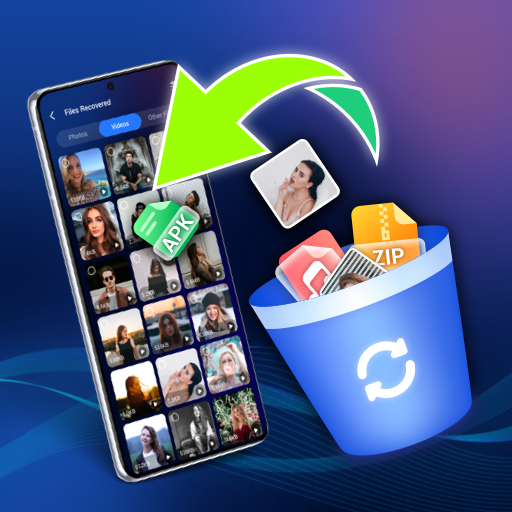
    Recover Everything is a powerful and reliable data recovery tool designed to help you retrieve deleted photos, videos, audio, files, WhatsApp messages, and more—quickly, securely, and effortlessly. Whether your data was removed by accident, lost due to system errors, or disappeared unexpectedly, Recover Everything is here to restore what truly matters.

    🔍 Why You Need Recover Everything
    • Losing important data can be stressful—whether it’s precious family photos, work documents, school files, or meaningful chats.
    • Accidental deletion, system crashes, app malfunctions, or device errors can cause unexpected data loss.
    • Recover Everything eliminates that worry by safely retrieving your lost information with ease.
    With Recover Everything, you no longer need to stress about losing valuable data. Your memories and important files are always recoverable.

    Key Features of Recover Everything
    ♻️ Complete Data Recovery
    • Recover deleted photos, videos, audio, documents, and app files.
    • Restore lost data caused by accidental deletion, app crashes, or system issues.
    • Retrieve files directly from your phone’s recycle bin with ease.

    💬 WhatsApp Messages Recovery
    • Recover WhatsApp chats deleted by the sender.
    • Retrieve your own deleted messages, images, videos, and audio files.
    • Restore missing chat history without complicated steps.

    📲 Phone Data Transfer
    • Transfer data between two Android devices in one click.
    • Back up your important information to avoid future loss.
    • Supports transferring contacts, call logs, music, photos, videos, and more.

    📁 Smart Data Management
    • Keep your data organized and accessible in one place.
    • Sort, preview, and manage recovered files effortlessly.
    • Use the built-in secret space to store sensitive data privately and securely.

    🗑️ Recover from Recycle Bin
    • Quickly retrieve files accidentally deleted from your device’s recycle bin.
    • Works just like recovering from a PC or Mac recycle bin—simple and fast.

    🤖 AI Image Upscaler
    • Enhance low-resolution or blurry images using advanced AI technology.
    • Improve clarity, sharpness, and detail without losing original style.
    • Perfect for restoring old photos or upgrading social-media-ready images. Just select a photo, choose the output size, and let the AI handle the enhancement automatically.

    🎯 What Recover Everything Can Help You Do
    Restore deleted photos, videos, audio, and documents.
    Recover WhatsApp messages deleted by the sender.
    Retrieve important chats, images, videos, and voice notes.
    Transfer phone data between devices effortlessly.
    Keep sensitive information secured in a private space.
    Enhance blurry or low-quality photos using AI.
    Recover Everything is the toolkit you won’t want to be without—your essential all-in-one solution for Android data recovery and device management😉


  • Recycle Mate – Restore Photos

    Recycle Mate – Restore Photos

    Recover lost files, media, and contacts with Recycle Mate. 🔄📷

    Clear junk files and manage screenshots to free up space. The app provides simple tools to restore accidentally deleted media and organize your storage efficiently.

    Key Features
    🔹 Restore Photos: Retrieve photos that were deleted from your gallery or storage.
    🔹 Restore Videos: Recover videos that may have been lost due to accidental deletion or device issues.
    🔹 Backup & Recover Contacts: Create a backup of your contacts and restore them when needed.
    🔹 Manage Screenshots: Select and delete screenshots to keep your gallery tidy.
    🔹 File Manager: Browse and clean up files directly within the app.

  • Trash Bin Finder

    Trash Bin Finder

    During our exchange semester in Taiwan, we never could find a trash bin and were always struggling to get rid of the (unfortunately) lots of additional rubbish we got from most of the things we bought.

    Because of that, this app was born. It lets you find the nearest trash can within 1km of your current location! We feature trash baskets all over the world, but 1740 highly up-to-date trash cans, generously provided by the city of Taipei!

    Happy trashing! Let's keep the city clean together 🌲♻️🌳

    (Icons made by Freepik from Flaticon)