Blog

  • WiFiSet – Wifi Network Scanner

    WiFiSet – Wifi Network Scanner

    WiFiSet is a powerful Wi-Fi analyzer and network scanner that helps you find connected devices, detect unknown activity, fix Wi-Fi issues, and use 25+ professional tools — with no ads, no tracking, and local processing.

    Why is my Wi-Fi slow?
    Use WiFiSet to analyze network quality with WiFi Analyzer and Smart Diagnose.

    Who is using my Wi-Fi?
    See connected devices and identify them with support for 42+ device types.

    Need alerts for unknown devices?
    Network Guard warns you when a new or unfamiliar device joins your network.

    Want a cleaner experience?
    WiFiSet is completely ad-free, with no tracking and no data collection.

    🌐 14 LANGUAGES – FULLY TRANSLATED UI
    WiFiSet is available in: English, Arabic (العربية), Spanish (Español), French (Français), German (Deutsch), Portuguese (Português), Turkish (Türkçe), Italian (Italiano), Russian (Русский), Japanese (日本語), Korean (한국어), Chinese (中文), Hindi (हिन्दी), and Polish (Polski). The entire interface is fully translated.

    🔬 INTELLIGENT DEVICE SCANNER
    Advanced device identification technology:
    Confidence-based classification
    Multi-protocol evidence analysis
    Brand and vendor detection
    Real-time device monitoring

    Identifies: Routers, Smart TVs, IP Cameras, NAS, Printers, Game Consoles, IoT devices, Servers, VoIP systems, Smart Home devices, and 30+ more categories.

    🧠 SMART DIAGNOSE
    Next-generation network diagnostics with intelligent analysis:
    Smart Diagnose runs a multi-stage health check across your Wi-Fi and internet connection, then turns raw results into a clear explanation. It evaluates signal quality, latency, packet loss, DNS responsiveness, channel congestion, speed performance, and real-world usage impact such as browsing, streaming, calls, and gaming.

    Includes root-cause analysis, impact assessment, and plain-language recommendations to help you understand what is limiting your network and how to improve it.

    🛡️ NETWORK GUARD
    Real-time network monitoring & alerts:
    Automatic new device alerts
    Known device tracking
    Scheduled background scanning
    Missing device notifications

    📡 WIFI SMART ADVISOR
    Intelligent wireless optimization:
    Channel congestion analysis
    Interference detection
    WiFi 6/6E/7 support (device/OS dependent)
    Actionable recommendations

    🧰 25+ PROFESSIONAL TOOLS

    Scanners
    Port Scanner | UPnP Discovery | Bonjour Browser | NetBIOS Scanner | SNMP Browser

    Diagnostics
    Speed Test (M-Lab) | Ping | Traceroute | DNS Lookup

    Utilities
    IP Calculator | MAC Lookup | IP Geo-location | Domain Lookup | Wake-on-LAN | SSH/Telnet Client | Router Default Credentials Reference | Local Wi-Fi Password Vault | Router Admin Guide | Automation Tasks

    Visualization
    Network Mapper | 3D Topology View

    ⚡ KEY CAPABILITIES
    Confidence-based device classification
    Real-time 3D network visualization
    OUI vendor database integration
    Background monitoring service
    SSH/Telnet remote access

    🔒 PRIVACY FIRST
    100% local processing
    No data transmission
    No personal data collection

    📋 PERMISSIONS
    • Location — Required by Android for Wi-Fi scanning results
    • Nearby devices — Used to discover devices on your local network
    • Bluetooth Scan — Used to scan for Bluetooth Low Energy (BLE) devices such as AirTags, SmartTags, and Tile trackers to detect hidden tracking devices (Privacy Shield feature)
    • Bluetooth Connect — Required on Android 12+ to access BLE device information, even in read-only mode (Privacy Shield feature)
    • Camera — Used for infrared (IR) camera detection to identify IR LED lights in hidden cameras (Privacy Shield feature)
    All permissions are used locally only. No data is transmitted outside your device.

    Built for power users, IT professionals, network administrators, and anyone who wants deeper insight into their Wi-Fi network.
    ⚠️ For legitimate network analysis only. Users must comply with local regulations.

  • Purple – WiFi Map

    Purple – WiFi Map

    – Explore a map filled with WiFi hotspots, ensuring you're always connected on the go.
    – Add WiFi Passes to automatically connect in participating venues, no login required!
    – Add public Wi-Fi locations and contribute to a thriving community-driven platform.

  • Tenda WiFi

    Tenda WiFi

    Tenda WiFi App provides users with smart Tenda home product management services, meeting the requirements of full coverage of home networks. It is a smart assistant for users to enjoy a safe, convenient and smart home network experience.

  • WiFi Channel : Wifi Analyzer

    WiFi Channel : Wifi Analyzer

    WiFi Channel : WiFi Analyzer

    WiFi Channel is a utility application designed to display wireless network information and help users understand channel usage in their surroundings. The app shows details about nearby WiFi networks, including channel numbers, signal strength, and frequency bands.

    By viewing channel information, users can better understand how wireless networks are distributed in a given area.

    🔧 Key Features

    🔹 WiFi Channel Information
    View channel numbers used by nearby WiFi networks.

    🔹 Signal Strength Monitoring
    Check signal strength levels for detected networks.

    🔹 Nearby WiFi Scan
    Scan available WiFi networks and display basic network details.

    🔹 Frequency Band Details
    View supported 2.4 GHz and 5 GHz network information.

    🔹 Simple Interface
    Designed for clear and easy access to network data.

    📱 Use Cases

    Review WiFi channel usage in nearby locations

    Monitor wireless signal levels

    Analyze nearby WiFi networks

    Understand basic network distribution

    🔐 Privacy & Data Handling

    No account sign-in required

    No personal data collection

    Network information is accessed locally on the device

    No data is shared with third parties

    📌 Additional Information

    WiFi Channel is intended for informational use and focuses on presenting wireless network data in a simple and understandable way for compatible Android devices.

    Download now to view WiFi network channel information and nearby wireless network details.

  • Network Cell Info Lite & Wifi

    Network Cell Info Lite & Wifi

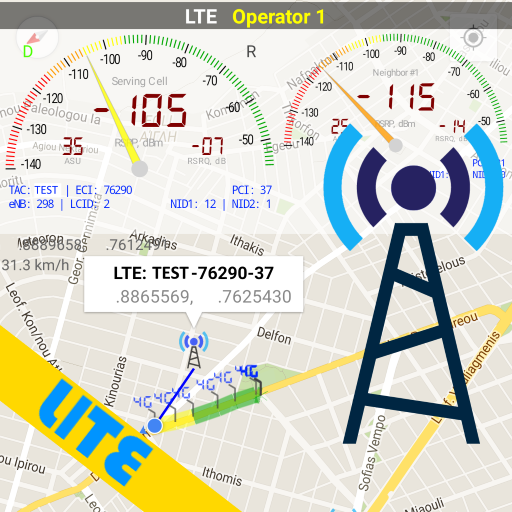
    Network Cell Info Lite is an extensive mobile network and Wi-Fi analyzer app with measurement and diagnostic tools (5G, LTE+, LTE, CDMA, WCDMA, GSM). Whether you are dealing with bad reception, experiencing dropped calls, or simply want to check your cellular signal strength, Network Cell Info helps you troubleshoot connectivity problems while keeping you in the know about your local mobile coverage.

    Designed for anyone looking to improve their mobile experience, our app helps you achieve your strongest cellular and Wi-Fi signal. See exactly which cell tower you are connected to, monitor your phone signal history, and map out your network's true performance.

    Key Feature: The Bad Signal Reporter
    Are you tired of bad phone reception and dead zones? Wouldn’t it be terrific if every bad mobile signal you encountered was automatically reported to your mobile network operator?

    Network Cell Info Lite collects data on poor connectivity (either no signal or fringe coverage) from users who opt-in, generating a Bad Signal Report that we provide for FREE to Mobile Network Operators (MNOs) worldwide to help them improve your mobile network.

    📡 Main Features 📡:
    ☆ Almost Real-Time (1 sec.) monitoring of cellular carrier and WiFi signals in Gauge/Raw Tabs
    ☆ WiFi analyzer and one-tap internet speed test (download, upload, ping, and jitter)
    ☆ 5G, LTE+, LTE, IWLAN, UMTS, GSM, CDMA support
    ☆ Dual-SIM support with 2-3 cellular signal strength meters and WiFi gauges
    ☆ Mobile coverage map with network cellular info and signal-meter gauges
    ☆ Personal Best Signal Finder map layer shows your signal strength history by location
    ☆ Crowdsourced Best Signal Finder shows your carrier's nearest best signals
    ☆ Signal Plots (up to 2 cells) and History Logs of cellular measurements
    ☆ Readings Tab specifically tracking and reporting the number of bad signals
    ☆ Cell location indications (not carrier cell towers) on the Map via Mozilla Location Service (MLS)
    ☆ Connection statistics (2G/3G/4G/5G) and raw view of carrier network cellular info
    ☆ Network information displayed conveniently in your Status Bar
    ☆ Export history measurements directly to your database

    Want to remove ads, access more gauges, and unlock advanced network diagnostics?
    View the comparison chart here: https://m2catalyst.com/apps/network-cell-info/features

    Check out the Paid Version and Pro Subscription Plan:
    https://play.google.com/store/apps/details?id=com.wilysis.cellinfo

    Signal Strength, Mobile, Wifi, Speed Test, Bad Signals, Cellular, 5G, LTE, 4G

  • Network Analyzer Pro

    Network Analyzer Pro

    Network Analyzer can help you diagnose various problems in your wifi network setup, Internet connectivity, and also detect various issues on remote servers thanks to the wide range of tools it provides.

    It is equipped with a fast wifi device discovery tool, including all the LAN device's addresses and names, together with the Bonjour/DLNA services they provide. Further, Network Analyzer contains standard net diagnostic tools such as ping, traceroute, port scanner, DNS lookup, whois, and network speed test. Finally, it shows all neighbouring wi-fi networks together with additional details such as signal strength, encryption and router manufacturer to help discovering the best channel for a wireless router. Everything works with both IPv4 and IPv6.

    Wifi signal meter:
    – Both graphical and textual representation showing network channels and signal strengths
    – Channel usage graph – see per-channel utilization
    – Wifi network type (WEP, WPA, WPA2)
    – Wifi encryption (AES, TKIP)
    – BSSID (router MAC address), manufacturer, WPS support
    – Bandwidth (Android 6 and newer only)

    LAN scanner:
    – Fast and reliable detection of all network devices
    – IP addresses of all discovered devices
    – NetBIOS, mDNS (bonjour), LLMNR, and DNS name where available
    – Pingability test of discovered devices
    – IPv6 availability and discovered IPv6 addresses
    – Wake on LAN (WOL) including remote WOL
    – Scan of custom IP ranges
    – Filtering and search in the discovered device list

    Routing table:
    – Destination & gateway, interface used, flags
    – Both IPv4 and IPv6

    Ping & traceroute:
    – Round trip delay including IP address and hostname for every network node
    – Geolocation data including latitude, longitude, country, city, and time zone
    – AS number and network name information
    – Complete trace route visualization on the map
    – Graphical ping statistics updated in real time
    – Both IPv4 and IPv6 – selectable

    Port scanner:
    – Fast, adaptive algorithm for scanning the most common ports or user specified port ranges
    – Detection of closed, firewalled, and open ports
    – Description of the known open port services
    – Scan of complete port range or user-editable common ports
    – Both IPv4 and IPv6 – selectable

    Whois:
    – Whois of domains, IP addresses and AS numbers

    DNS lookup:
    – Functionality similar to nslookup or dig
    – Support for A, AAAA, SOA, PTR, MX, CNAME, NS, TXT, SPF, SRV records

    Internet speed:
    – Test of both download and upload speeds
    – Graphical speed test view
    – Speedtest history

    Network information:
    – Default gateway, external IP (v4 and v6), DNS server, HTTP proxy
    – Wifi network information such as SSID, BSSID, IP address, subnet mask , signal strength, etc.
    – Cell (3G, LTE) network information such as IP address, signal strength, network provider, MCC, MNC, etc.

    Local service discovery:
    – Bonjour service browser
    – UPNP/DLNA service and device browser

    More:
    – Full IPv6 support everywhere
    – History of all performed tasks with the possibility to star the favorite ones
    – Export by email and other means
    – Copy/paste support
    – Detailed help
    – Regular updates, support page

  • Network Analyzer: WiFi Scanner

    Network Analyzer: WiFi Scanner

    Network Analyzer is an advanced network tool designed as Wi-Fi analyzer, Wi-Fi scanner, network scanner, Wi-Fi speed test, internet speed test and port scanner to troubleshoot and improve network security, connectivity issues and performances. It also offers a wide range of features to assist in diagnosing the problems within your office and home Wi-Fi/local network, router, Internet connection and even on remote servers. All the Key features include:

    Network Information:

    – Current connection with default gateway, HTTP Proxy, external IP, DNS server(s), ISP name
    – Provides Wi-Fi information & analysis with network details (SSID, BSSID, vendor, IP address, IPv6 address, subnet mask, broadcast, Wi-Fi security type, Wi-Fi channel and bandwidth)
    – Shows cell/mobile network information (network type, IP Address, IPv6 address, subnet mask)
    – Shows vpn and hotspot network information
    – Internet Information (AS Number, AS Name, Public Address, Hostname, Time Zone, Location with MAP)
    – Monitors Wi-Fi, cellular, vpn & hotspot data usage
    – Network Interface of your device
    – Real time internet speed meter

    Wi-Fi Signal Scanner:

    – Wi-Fi frequencies (2.4 GHz and 5 GHz)
    – Nearby network with channels and signal strengths
    – Wi-Fi network types (WEP, WPA, WPA2)
    – Wi-Fi encryption methods (AES, TKIP)
    – BSSID (MAC address), MAC Vendor
    – Network bandwidth
    – Wi-Fi Standards

    Device Discovery (LAN / IP Scanner):

    – Wi-Fi analyzer and Scanner to detect all online devices connected to the network
    – Provides IP addresses of all detected devices
    – Identifies mDNS (Bonjour), netBIOS, UPnP and DNS names where available
    – Conducts ping tests on discovered devices
    – Device details (Manage device, Local service discovery and Network details)
    – Wi-Fi Network details (Access points, Network setup)
    – Discover online devices in home and office Wi-Fi network

    Network Tools:

    Our advanced network tools are used to verify internet performance, improve network security, troubleshoot and monitor network and more –

    – Internet speed test / Wi-Fi speed test
    – Ping
    – Wake on LAN (WOL)
    – Traceroute (Including Visual Trace)
    – Find open ports
    – Router vulnerability
    – Privacy Analyzer
    – Whois
    – IP Address Lookup
    – DNS Lookup (A, AAAA, CAA, MX,NS, TXT more)
    – MAC Address Lookup (Including MAC address, OUI and Vendor name)

    Local Service Discovery:

    – Bonjour services browser
    – UPnP services and device browser

    *** Light/Dark appearance supported

    Network Analyzer: WiFi Scanner is an essential net tools and network analyzer for anyone looking forward to managing and troubleshooting their network efficiently.

    Privacy Policy: https://networkanalyzer.io/privacy-policy
    Terms of Use: https://networkanalyzer.io/terms-of-service

  • WiFi Refresh & Signal Alert

    WiFi Refresh & Signal Alert

    Refresh your WiFi connection whenever you need with by checking all security steps. It also has a WiFi scanner, which gives you a network alert, checking the strength of the network & will give you information about data usage.

    App Features:

    1). WiFi Refresh: – Refresh your WiFi network to help speed up your network speed.
    – Also check WiFi encrypted or not, network connection, DNS checking & signal strength.
    – Get information like DNS1, DNS2, Netmask, DHCP server, Gateway, Signal strength, Link speed, Frequency, RSSI, IP Address, MAC address.

    2).WiFi scanner:
    – WiFi detector: Get to know how user's are using your WiFi connection.

    2). WiFi scan: Scan nearby available WiFi connections & their information like frequency, signal strength, channel number, signal health, secure connection, etc.

    3). Network Alerts: Get alerts for No service, Roaming, Low signal or no data connections. Also you can set specific time for alerts.

    4). Signal strength: Get information about your current connected WiFi signal strength or SIM mobile data usage.
    – Network Info: Get details like connected network name, channel number, frequency, signal strength, access point, link speed, 5GHZ Band, IP address, MAC address, Gateway, Router MAC, DNS1, DNS2, DHCP server.
    – SIM Info: Get details like SIM name, network info for LTE or 5g, signal strength and more.

    5). Data Usage: Monitor app data usage & also get data usage reports for daily, weekly, last 30 days or custom.

    **Permission**
    Read Phone state : To show sim card info and check network type of data connection
    Location : To show connected WiFi info, signal strength and scan available WiFi devices.
    Query All Packages : We require the QUERY_ALL_PACKAGES permission to retrieve the application list from device and show WiFi and Mobile data usage of applications to the user.

  • WiFi Analyzer Pro

    WiFi Analyzer Pro

    WiFi Analyzer Pro recommends the best channel and place for your router, get the best out of your WiFi!

    WiFi Analyzer Pro gives the most important information about your network, shows all connected devices and any WiFi around you!
    It helps you to find the best channel for the best connection speed.

    Highlighted Pro features:
    * No Ads!
    * Customized devices
    * Scan more networks
    * Send logs to Internet provider
    * Get new features and bug fixes faster

    Are you ready to discover your Wifi?
    Optimize wifi with the most intuitive WiFi analyzer tool on the Google Play!
    Increase the network performance via analyzing and monitoring your wifi network!

    Highlighted features:
    * Find who uses your Wifi! Detect all connected network devices, scan your wireless network
    * 2.4 and 5 GHz support
    * Check wifi security problems
    * Analyze signal strength and latency (ping)
    * detect crowded channels, verify DNS working
    * Detailed information about your network and your access point including the vendor of the Access Point, frequency, channel width, security level and DHCP info, BSSID (router MAC address).
    * Open router settings
    * Recommendation for the best channel
    * Check wireless networks easily on several charts
    * Export result
    * Wifi analytics
    * Wifi network type: WEP, WPA, WPA2

    Dark or Light theme are also available
    Available filters: SSID, wifi band, overlapping channels

    This wifi tool app monitors and analyzes your network and warns you if there are problems.
    For beginners: easy to understand, you don't need to be an IT expert. You can detect the problems without knowing how the RSSI, link speed work or what they mean.

    IMPORTANT for Android 6 (Marshmallow): Please enable location service (Settings>Location) or the app won't work properly. This is not required for the app, this is a problem in android 6.0 (without it the app won't see the networks).

  • Nokia WiFi

    Nokia WiFi

    The Nokia WiFi app lets you to quickly setup and easily manage your Nokia WiFi Beacon units (purchased separately). Use the app in your home for quick insights to get the most out of your Nokia WiFi network.
    The first real time mesh Wi-Fi solution that allows you to enjoy uninterrupted Wi-Fi speed and coverage throughout your home. The Nokia WiFi network is self-optimizing against interferences in real time to avoid disruptions.
    You can do the following with your Nokia WiFi app:
    • Set up your Beacon units in just a few minutes
    • Manage internet access for connected devices
    • Quickly create and share a guest network
    • Easily check each devices’ connection speed in your network
    • Automatically update your network at scheduled times
    • Simple interface that shows which devices have connection problems
    We want to hear your feedback on how we can improve, feature requests, or general comments! Please contact us at wifi.care@nokia.com
    Hardware Compatibility
    Nokia WiFi supported devices (these devices can be used as a root device/gateway) with the Nokia WiFi mobile app:
    • Nokia WiFi Beacons 1, 1.1, 2, 3 ,6, G6, 10
    • Nokia WiFi Gateway 3
    • Nokia FastMile 4G, 5G Gateways 2,3,3.1,3.2
    • Nokia FastMile 5G Receivers 5G14-B
    • Some CSP provided ONTs (modems/gateways):
    G-140W-C, G-140W-H, G-240W-G, G-240W-J, G-0425G-A, G-0425G-B, G-1425G-A, G-1425G-B, G-2425G-A, G-2425G-B, G-2426G-A, G-2426G-B, XS-2426G-A, XS-2426G-B, G-0425G-C, G-1426G-A
    Note: Support of these devices is dependent on the CSP and firmware version
    Supported languages
    • English
    • Arabic
    • Chinese Simplified
    • Chinese Traditional
    • Danish
    • Dutch
    • Finnish
    • French
    • German
    • Japanese
    • Polish
    • Portuguese
    • Russian
    • Spanish
    • Swedish
    • Thai
    • Turkish
    • Ukrainian