
Gaming Mode – Game Booster PRO
ZipoApps
Feb 5, 2019
Dec 14, 2025
40.78 MB
2.0.5
8.0
10,000,000+

Description
Ultimate Game Mode.
Play your favorite games like a PRO. Use our game booster and enjoy a fantastic gaming experience!
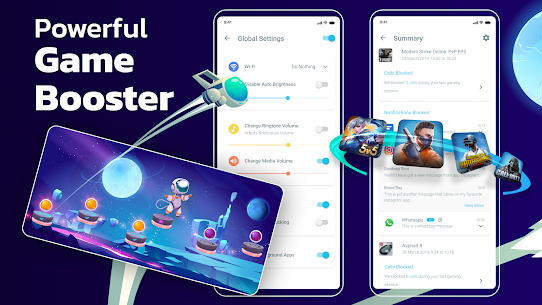
Powerful Game Booster!
The one and only Gaming Mode app on Play Store comes with a nifty set of features to enhance your gaming experience. Configure it once, and Gaming Mode will automatically do the rest for you. Your ultimate game booster tool.
How does it work?
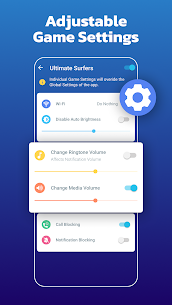
You can configure various settings that will get applied automatically when the game starts. You can configure these settings globally or on a per-game basis. Gaming Mode booster also remembers your existing device settings and restores them after your gameplay session ends. Now you no longer need to fiddle with your device settings before each gameplay session.
What features does it configure automatically?
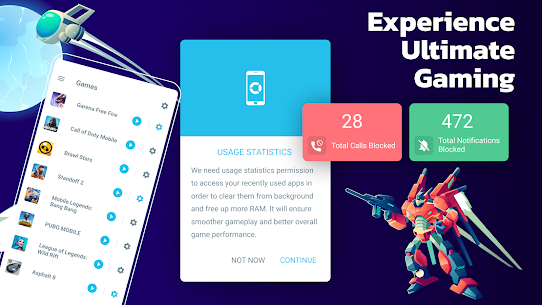
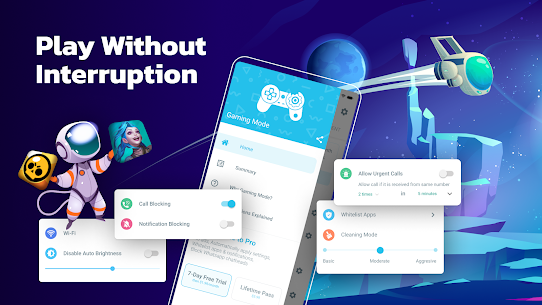
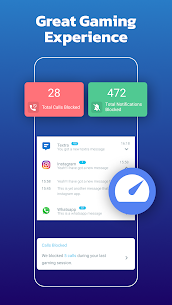
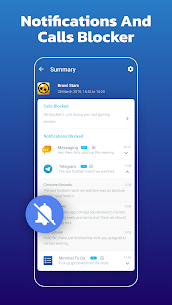
✓ Auto Reject Incoming calls – Our game booster is on your side. Show your skills without interruptions.
✓ Block notifications – With Game Booster, your focus will not be disrupted – pure gaming experience.
✓ Game Booster
✓ Disable auto-brightness & optimize it to your desired level.
✓ Change WiFi state.
✓ Change Ringtone & Media Volume.
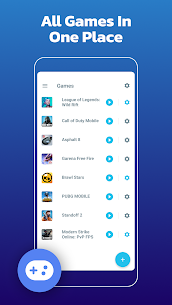
✓ Create widgets to launch games directly from your device's home screen. Your game launcher.
Create widget – Game launcher
Ease of use with the widget on your home screen will make the start of your gaming experience even more enjoyable. The game launcher on your home screen – sweet! Instead of spending your time looking for games, enjoy playing, use our widget feature – game launcher.
Use of VpnService:
Our app is designed to enhance the gaming experience. One of our core features is allowing users to block internet connection to focus on their game without interruptions. This is done using a local VPN service that does not transfer data outside the device.
Images
Download links
How to install Gaming Mode - Game Booster PRO?
1. Download the ZIP file.
2. Install the Split APKs Installer application
3. Open the application and click on "Install APKs".
4. Find the folder where the downloaded ZIP is located and select it.
5. Follow the steps that appear on the screen.
Related apps



Developer's apps

Latest Apps
-
New
 XP IPTV4.1.5 Sidhbali Tech 48.48 MB May 27, 2026
 -
New
 GSE SMART IPTV PRO1.8 droidvision December 2, 2022
 -
New
 iMPlayer Mobile IPTV Player2.5.5 HzApps 57.1 MB July 27, 2026
 -
New
 Wolf Warfare1.0.88 SPECIAL (HONG KONG) CO. LIMITED 809.63 MB July 30, 2026
 -
New
 Televizo – IPTV player1.9.9.31-g Andrey Menscikov 46.62 MB June 13, 2026
-
Most rated apps
-
 Free Fire x JUJUTSU KAISEN1.123.1 GARENA INTERNATIONAL I 501.47 MB April 1, 2026
 -
 Messenger559.0.0.49.75 Meta Platforms Inc. 70 MB May 4, 2026
 -
 Flipkart Online Shopping App9.3 Flipkart April 21, 2026
 -
 TikTokVaries with device TikTok Pte. Ltd. 456.86 MB April 22, 2026
 -
 Clash of Clans18.350.2 Supercell 747.25 MB April 23, 2026
-